
Path Prefix & Versioning
Two settings in Settings → Behavior control where your files are stored in the bucket.
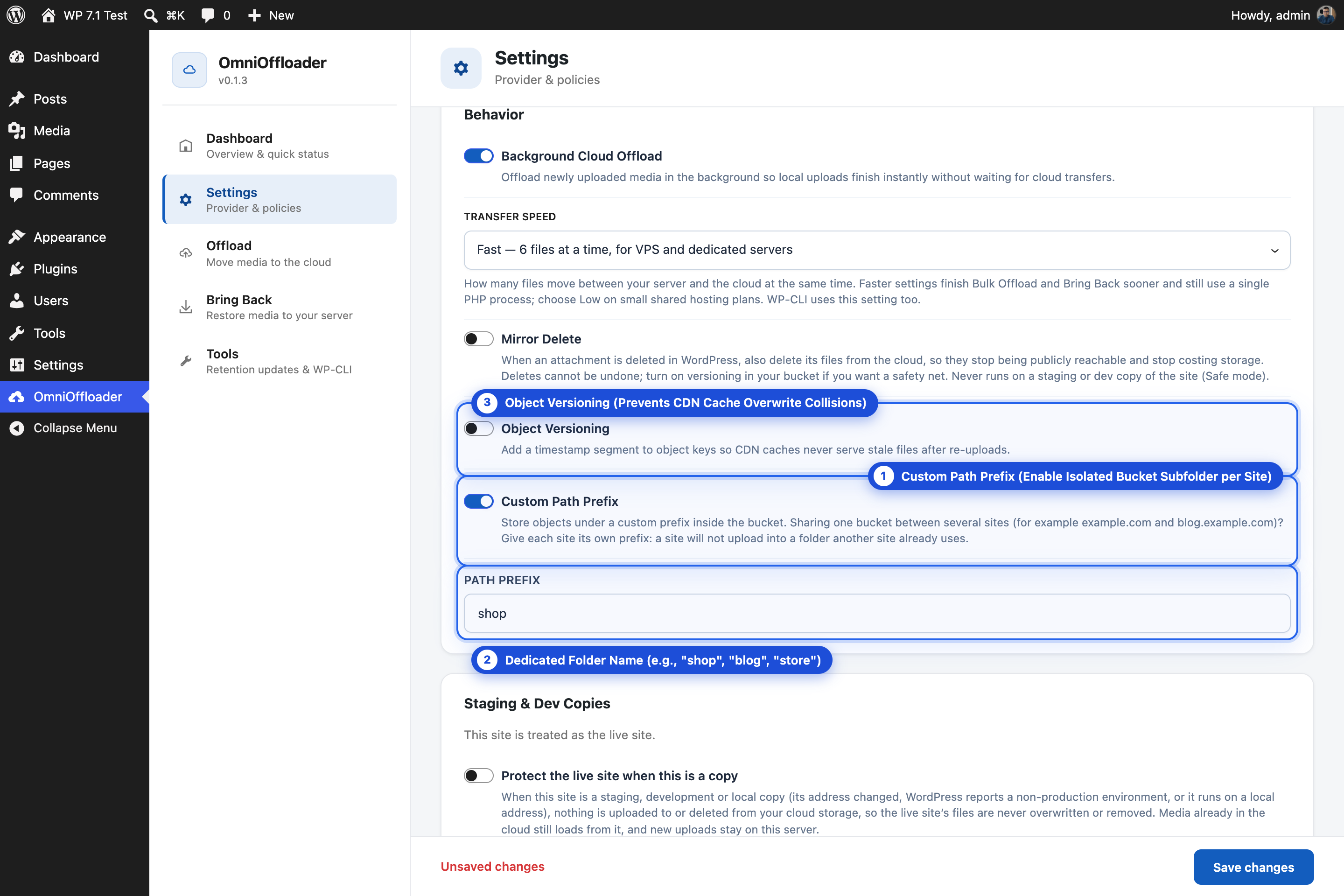
Custom Path Prefix
Section titled “Custom Path Prefix”By default, objects use the same path as in your WordPress uploads folder:
2026/09/photo.jpgTurn on Custom Path Prefix and enter a folder name, for example wp-media, to store everything under that folder:
wp-media/2026/09/photo.jpgWith a custom domain, the file is then served from an address like https://media.yourdomain.com/wp-media/2026/09/photo.jpg.
Use a path prefix when:
- your bucket also holds other files, and you want to keep WordPress media in its own folder, or
- several sites share one bucket. Each site needs its own prefix. See Sharing one bucket.
Object Versioning
Section titled “Object Versioning”Object Versioning adds a timestamp segment to object keys:
wp-media/2026/09/20260925143012/photo.jpgWhy this helps: CDNs cache files for a long time. If a file is replaced with a new version under the same URL, some visitors can keep seeing the old one. With versioning, a new upload gets a new key, and therefore a new URL. CDN caches never serve a stale file.
Object Versioning is off by default.
For developers
Section titled “For developers”Change the object key for an attachment’s main file with the omnioffloader_attachment_key filter. See Hooks.