
Sharing One Bucket
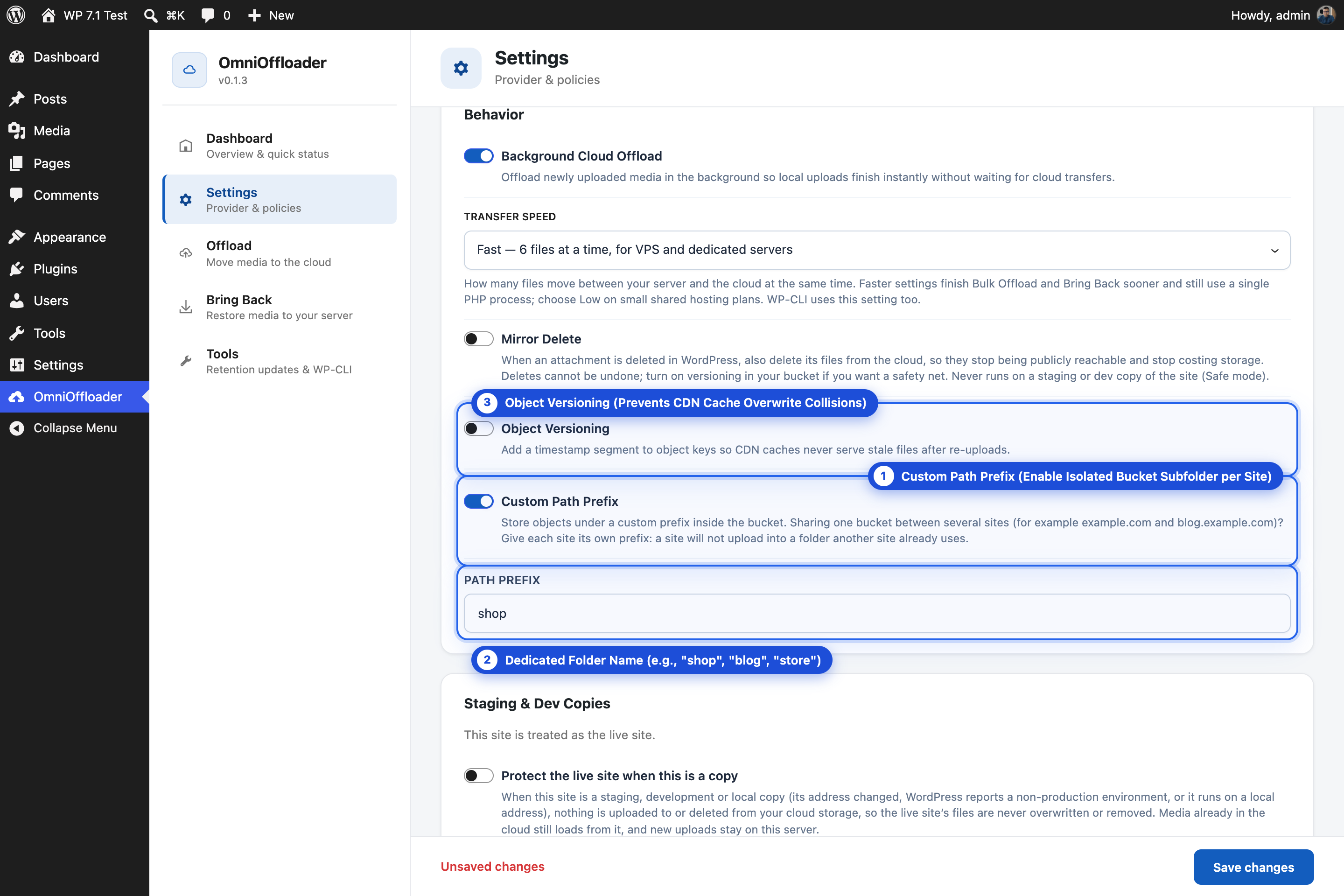
You can use one bucket and one CDN address for several separate WordPress sites, for example example.com, shop.example.com and blog.example.com. Each site stores its media in its own folder.
Set it up
Section titled “Set it up”-
Install OmniOffloader on each site.
-
On each site, enter the same bucket, access keys and custom domain.
-
On each site, turn on Custom Path Prefix in Settings and give it its own folder, for example
www,shopandblog. -
Save. Each site’s files now live in their own folder, such as
https://cdn.example.com/shop/2026/09/photo.jpg.
Why each site needs its own folder
Section titled “Why each site needs its own folder”Separate sites share no database. Without their own folders, two sites would store files under the same names:
- one site’s upload would overwrite the other site’s file, and
- Mirror Delete on one site would delete files the other site still uses.
Folder claims
Section titled “Folder claims”To prevent this, each site claims its folder. It writes a small marker file named .omnioffloader-site.json into the folder, naming the site.
- In Settings, when you save a Path Prefix, OmniOffloader checks the folder. If another site already uses it, the save is refused, and you are asked to choose a different prefix.
- When the site runs, the folder is checked on the first upload or delete after an update or settings change, and then once a day.
- Test Connection warns you when the folder is taken.
wp omnioffloader statusreports it too.
The marker is never deleted, not even when you uninstall the plugin.
If another site uses your folder
Section titled “If another site uses your folder”If a site finds another site’s marker in its folder, it switches to Safe mode:
- Nothing is uploaded to or deleted from the cloud.
- Media already there still loads, and new uploads stay on the server.
- Bulk Offload and retention runs stop with a clear message.
- A banner explains the problem: “Another site uses this bucket folder.”
The banner offers two buttons:
- Choose a Path Prefix: go to Settings and pick a folder of this site’s own. This is the right fix in most cases.
- This folder belongs to this site: take over the folder. Use it only if the other site no longer uses this folder, or it is this same site at its old address (for example after a domain change).
When you confirm a domain move with This is the live site, the folder’s claim moves along to the new address.
Extra protection on Amazon S3
Section titled “Extra protection on Amazon S3”For a hard guarantee on Amazon S3, give each site its own access key, limited by an IAM policy to its own folder. Then a site cannot write to another site’s folder even if it tried.
For developers
Section titled “For developers”Turn off the folder check with the omnioffloader_check_folder_claim filter. See Hooks.